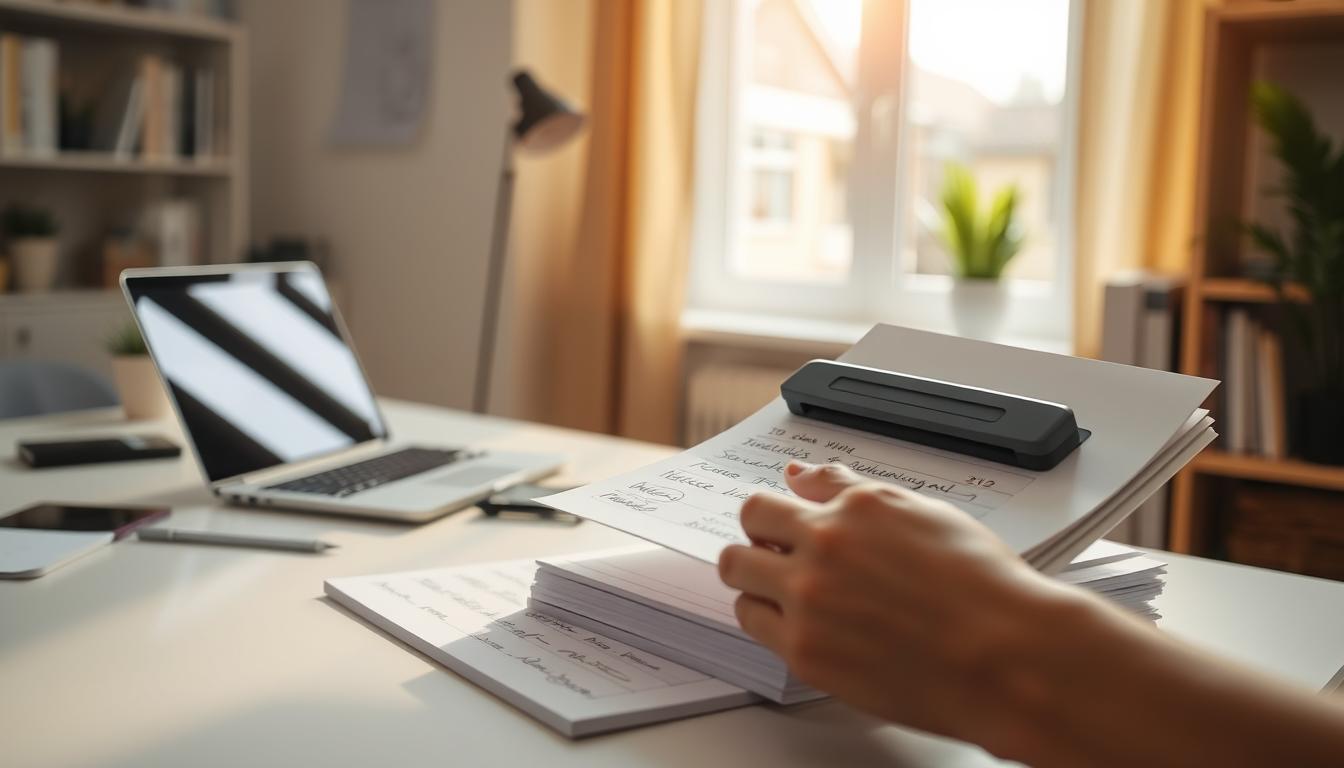
Handwritten Homework to Digital File: The Bottom Line
You’ve collected 30 handwritten assignments. They need to be read, graded, commented on, and returned — ideally before the next class. But first, you need to be able to actually work with the content.
The traditional approach: retype student answers into a document, manually enter scores into the gradebook, format feedback, and file everything by class and student. That’s 3-5 minutes per assignment just for data entry. For a stack of 30 papers, that’s 90-150 minutes of clerical work before you even start giving meaningful feedback.
Most teachers skip the digitization step entirely. Papers get graded, handed back, and the content disappears. No searchable records. No easy retrieval for parent conferences. No documentation trail for IEPs or accommodations reviews.
SketchBrief converts handwritten homework into structured .docx documents in under 60 seconds per assignment. Photograph the page. Upload. Download a professional document with the student’s work organized into clear sections. Grade and comment on the digital version. Keep searchable records of everything.
Here’s how teachers can digitize handwritten homework fast enough that it actually fits into a classroom workflow.
Why Digitizing Student Work Matters More Than Teachers Think
Handwritten homework is valuable — students who write by hand retain more and process information more deeply. The problem isn’t the handwriting. It’s what happens to the paper after it’s submitted.
The Paper Problem in Education
- Grading takes longer when you can’t search, copy, or annotate digitally
- Records disappear — papers get lost, damaged, or returned without copies
- Parent conferences require digging through physical files instead of searching a folder
- IEP documentation needs accessible records of student work over time
- Co-teachers and aides can’t access papers that are in someone else’s stack
- Feedback is slower because handwritten comments are harder to reference later
The time cost of manual homework digitization:
- 3-5 minutes per assignment to retype and enter into digital systems
- A class of 30 students = 90-150 minutes per assignment cycle
- Multiple classes multiply the burden — 3 classes × 2 hours = 6+ hours per week
- Over a school year, that’s 200+ hours spent on homework data entry
- Those are hours that should go toward lesson planning, feedback, and instruction
The result: most handwritten homework never gets digitized. Teachers grade on paper and return it. The content is gone. When documentation is needed months later, it doesn’t exist.
How SketchBrief Converts Handwritten Homework in Under 60 Seconds
SketchBrief is purpose-built for converting handwritten content — homework pages, essay responses, worksheets, lab notes, and math work — into structured, professional .docx documents.
The Three-Pass AI Pipeline
Photograph the student’s homework page. Upload to SketchBrief. The system processes through three AI passes:
Pass 1: Transcription
- Reads handwriting, print, and cursive with 95%+ accuracy
- Handles varied student handwriting styles — neat and messy
- Captures diagrams, drawings, and annotations alongside text
- Processes up to 3 images for multi-page assignments
Pass 2: Structure
- Organizes student responses into logical sections
- Identifies question numbers, labels, and answer groupings
- Creates headings and formatted sections matching assignment structure
- Preserves the order and flow of the student’s work
Pass 3: Executive Summary
- Generates an overview of the student’s submission
- Highlights key responses and completed sections
- Includes confidence scores for uncertain handwriting
- Flags sections where handwriting was difficult to read
The result: a structured .docx document of the student’s work — organized, searchable, and ready for digital grading, commenting, and archiving. Not raw text. A professional document.
The Old Way vs. SketchBrief: Workflow Comparison
| Step | Traditional Workflow (Airparser + Zapier + Transkribus) | SketchBrief |
|---|---|---|
| 1. Capture | Photograph or scan each page | Photograph pages (up to 3 at once) |
| 2. Ingest | Upload to Airparser inbox, configure schema | Upload to SketchBrief |
| 3. Configure | Set up parsing rules for student name, class, date | Not needed — AI handles structure automatically |
| 4. Process | Wait for GPT parsing and OCR extraction | Three-pass AI processing in under 60 seconds |
| 5. Validate | Spot-check against original for mismatches | Review confidence-flagged sections (2-3 min) |
| 6. Export | Choose format, configure export settings | Download .docx directly |
| 7. Organize | Route to class folders via Zapier/Make automation | Save to your class folder |
| 8. Iterate | Retrain models, adjust schemas, fix automations | Not needed — works consistently |
| Setup time | Hours to configure schemas and automations | Zero — works immediately |
| Per-assignment time | 3-5 minutes | Under 2 minutes (including review) |
The traditional workflow requires configuring parsing schemas, building Zapier automations, and potentially training custom recognition models. That’s an engineering project, not a teaching tool. SketchBrief works the moment you upload a photo.
How to Digitize Handwritten Homework: 3 Steps
Step 1: Photograph the Assignment
Good photos make good documents. A few seconds of attention during capture saves editing time later:
- Even lighting — avoid shadows across the page
- Flat surface — smooth out folds and curled edges
- Straight-on angle — hold the camera parallel to the page
- Fill the frame — capture the full page with margins visible
- Check readability on your phone screen before moving on
For multi-page assignments, photograph each page separately. SketchBrief processes up to 3 images at once and maintains context across pages.
Batch tip: Set up a quick photo station — a well-lit desk with a flat surface. Photograph an entire class stack in 10-15 minutes. Upload and process while you move to the next task.
Step 2: Upload and Process
Go to SketchBrief.ai and upload photos (JPG, PNG, or PDF). The three-pass AI pipeline processes each assignment in under 60 seconds:
- Student handwriting transcribed with high accuracy
- Content organized into structured sections
- Question numbers and response groupings identified
- Confidence scores flag uncertain handwriting
Step 3: Grade, Comment, and Archive
Download the .docx document. Now you have a digital version of the student’s work that you can:
- Grade digitally — add comments, highlights, and scores directly in Word or Google Docs
- Search across assignments — find specific student responses by keyword
- Archive by class and student — build a searchable portfolio over the semester
- Share with co-teachers — give aides and specialists access without passing physical papers
- Document for IEPs — maintain accessible records of student work over time
- Reference in parent conferences — pull up any assignment in seconds
Total time per assignment: under 2 minutes (including photography and review). For a stack of 30 assignments, that’s under an hour — versus 2.5+ hours of manual transcription.
Real Classroom Workflows with SketchBrief
Essay and Written Responses
Students submit handwritten essays or paragraph responses. Photograph each page. SketchBrief produces a structured document preserving the student’s paragraphs and argument flow. Grade and comment in the digital version. Return the original paper with a summary of digital feedback.
Math and Science Worksheets
Student work includes equations, diagrams, and show-your-work solutions. SketchBrief transcribes the work and describes diagrams in the document. Review the structured output alongside the original photo for grading accuracy.
Lab Notes and Field Observations
Science students submit handwritten lab notebooks with observations, measurements, and diagrams. Convert to digital documents for the course portfolio. Build a searchable archive of lab work across the semester.
Language Arts and Foreign Language
Handwritten vocabulary exercises, grammar worksheets, and creative writing assignments become searchable digital records. Track student progress over time with a folder of digitized submissions.

Portfolio Building and Progress Tracking
Convert selected assignments throughout the year to build a digital student portfolio. The searchable .docx format makes it simple to demonstrate growth, identify patterns, and provide documentation for educational reviews.
How Homework Digitization Tools Compare
| Feature | Airparser + Zapier | Transkribus | Pen to Print | SketchBrief |
|---|---|---|---|---|
| Setup required | Hours (schemas, automations) | Hours (model training) | Minimal | None — works immediately |
| Technical skill needed | High (Zapier/Make config) | Moderate (HTR training) | Low | Low — photograph and upload |
| Handwriting accuracy | Moderate | Good (with training) | Moderate | Excellent (95%+) |
| Document structure | Schema-dependent | Basic text blocks | Plain text | Headings, sections, lists |
| Processing time | Minutes per batch | Minutes (manual review) | Seconds | Under 60 seconds |
| Multi-page assignments | Batch upload | Supported | Multi-page sessions | Up to 3 images with context |
| Output format | PDF, Word, CSV, JSON | Various exports | Word, TXT | Structured .docx |
| Ongoing maintenance | Schema updates, automation fixes | Model retraining | Minimal | None |
| Privacy | Cloud processing | Cloud or on-premise | Cloud | Immediate image deletion |
| Best for teachers? | No (too complex) | No (too technical) | Quick captures only | Yes — designed for the workflow |
Airparser requires building parsing schemas and Zapier automations — that’s developer work, not teacher work. Transkribus requires training custom handwriting models — that’s research work. SketchBrief works the way teachers work: photograph, upload, get a document.
Accuracy Tips: Getting the Best Results from Student Handwriting
Student handwriting varies wildly. Here’s how to maximize conversion accuracy across your classroom:
For Teachers (Capture Quality)
| Practice | Quick Rule | Impact on Accuracy |
|---|---|---|
| Lighting | Even, bright light — no shadows | Biggest single factor in conversion quality |
| Surface | Flat desk, pages smoothed out | Eliminates fold shadows and curled edges |
| Angle | Camera straight above, parallel to page | Reduces distortion at page edges |
| Focus | Check readability on phone screen | Blurry photos are the #1 cause of errors |
| Ink contrast | Dark pen on white paper is ideal | Faint pencil marks reduce accuracy |
For Students (Writing Habits)
- Dark ink preferred — pen over pencil when possible for submitted work
- Write names in print — block letters for proper nouns and names
- Number questions clearly — helps AI identify question-answer groupings
- Leave spacing between answers — separation improves section detection
- Avoid mixed media — pencil plus highlighter confuses recognition
SketchBrief handles messy student handwriting with confidence scoring. Sections the AI is less certain about get flagged so you know exactly where to spot-check during your review.
Integrating Digitized Homework into Your Teaching Workflow
With Your LMS (Canvas, Google Classroom, Schoology)
Save .docx files to the assignment folder in your LMS. Students and parents can access digitized versions alongside digital submissions. Consistent file naming (studentname_assignment_date) makes everything searchable.
With Cloud Storage (Google Drive, OneDrive)
Create a folder structure: Class → Assignment → Student. Save each digitized submission to the appropriate folder. Build a searchable archive of student work that lasts beyond the school year.
For Special Education Documentation
Digitized homework creates accessible records for IEP teams. Track student progress over time with searchable documents. Pull up any assignment in seconds for team meetings, parent conferences, or accommodation reviews.
For Collaborative Grading
Share .docx files with co-teachers, aides, or department colleagues. Multiple educators can review, comment, and provide feedback on the same student work without passing physical papers around.
Student Privacy and Data Handling
Student work contains protected information under FERPA and district policies. SketchBrief’s privacy model aligns with educational data requirements:
- Images deleted immediately after the 60-second processing window
- No long-term storage of student work photos on SketchBrief’s servers
- No model training on student data — your students’ work is never used to improve AI
- GDPR compliant by design
- Ephemeral processing — nothing stored to breach
The only copy of the digitized homework is the .docx you download and save to your own secure storage. SketchBrief never retains student content.
Pricing for Classroom Use
SketchBrief uses a credit-based system that works for individual teachers and department-wide adoption:
- Monthly plans with credit resets each billing cycle
- Annual plans for cost savings across the school year
- Add-on credits when grading-heavy periods need extra capacity
- Automatic refunds if processing fails
Every plan includes full three-pass AI processing, unlimited document downloads, priority support, and complete privacy guarantee with immediate image deletion.
One digitized class set saves 1-2 hours of manual transcription. Over a school year, that’s hundreds of hours redirected from data entry to actual teaching.
Common Questions About Digitizing Handwritten Homework
How fast can a teacher digitize a class set of handwritten homework?
How accurate is handwriting recognition on student work?
Does it work with messy student handwriting?
What about student privacy and FERPA compliance?
What output format does SketchBrief produce?
Can it handle multi-page assignments?
How does this compare to Airparser or Transkribus for teachers?
Can I build a searchable student portfolio over time?
What subjects does this work for?
How much setup is required?
Stop Spending Hours on Homework Data Entry
Teachers shouldn’t spend their evenings retyping student work. The manual workflow — photograph, transcribe, format, organize, archive — takes 3-5 minutes per assignment and hours per class set. Most homework never gets digitized at all.
SketchBrief converts handwritten homework into structured .docx documents in under 60 seconds. Student responses organized into sections. Searchable records for every assignment. Digital documents ready for grading, commenting, and archiving.
Those hours belong to teaching, not transcription.
Three Steps to Digitize Homework This Week
1. Set up a photo station
A well-lit desk with a flat surface. Photograph an entire class stack in 10-15 minutes.
2. Upload and convert
Go to SketchBrief.ai. Upload photos of each assignment. Download structured .docx documents in under 60 seconds each.
3. Grade, comment, archive
Work with digital documents. Build a searchable archive. Pull up any student’s work in seconds when you need it.
Ready to Reclaim Your Grading Time?
✓ Upload handwritten homework, essays, worksheets, or lab notes
✓ Get structured .docx documents in under 60 seconds per assignment
✓ Student images deleted immediately after processing
✓ Credit-based plans that fit classroom budgets
Leave a Reply